This page records more notes on work arounds to make measurements used when testing a smart phone app. Some related pages:
I could let the AutoType device type into the smartphone. I could analyse the call logs using:
https://www.dougrice.co.uk/AutoType/AutoTypeAnalysisScript.htm
Later on I realised I could use it to measure how fast I could type
https://www.dougrice.co.uk/www/dev/DigiSpark/AutoAnal.htm
Information about how fast you could type into a smartphone app using the softkeyboard is a bit of an unknown
Automation is really difficult.
Another problem with automation is that the physical interfaces are difficult to automate to summarise down to events for asserts required for the test's pass / fail criteria.
SmartPhones? need a robot with a dabbler and some video and vision analysis to provide feedback. See
A link with a video:
https://www.iphoneness.com/smart-robots/mobot-smartphone-tester-robot/
I modified the Keyboard example for the DigiSpark?,
https://wwwi.dougrice.co.uk/cgi-bin/wiki.pl?AutoType
It is possible to plug a mouse into a smartphone and use the mouse instead of using your finger to select and dabb the soft keyboard.
https://docs.arduino.cc/language-reference/en/functions/usb/Mouse/
The big challenge is how far should you move the mouse? There is no haptic feedback to find the edges of the buttons on the screen. You can set the size of the mouse cursor and use a Machine vision feedback system.
It might be possible to use the API for Braille screen readers.
It might be possible to use a servo system connected to the Arduino to position a light sensor.
On a desktop PC, I could use JavaRobot?. It can move the mouse and press keys and capture the Apps screen running on a PC. I would have to use some vision recognition to convert the screen capture, to find the buttons and "understand" the screen image. The same java app running on a PC or linux were different slightly different.
Security also gets in the way. Windows has a way of automating key presses, but disables "CNTL-PrintScreen?" which would allow me to copy the screen, so I could paste it into a test record. It does not have a simple way of reporting what text and boxes are displayed. The automation software would still need and "AI" ability to understand what it is seeing.
Also you are not allowed to connect "non-approved" devices, and my automation tools are "non-approved" as I am inventing them as I develop them!
I brought a USB-A to lighting OTG cable dongle, that did not have the Apple chip it it, and it only worked for a minute or two before it was detected.
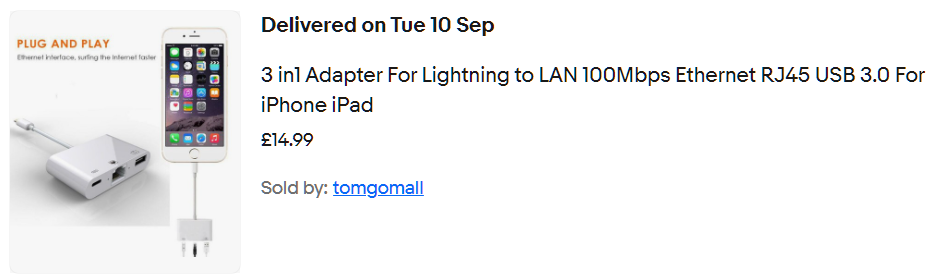
For a short while it was possible to buy the white dongle in the picture above, that allowed my Apple phones to be charged while I used my AutoTyping devices.
I could "measure" the current used by the App undertest, if I fully charged the device.
When the Smartphone device was fully charged, I could use the eBay sourced "USB Tester Digital Power Meter Tester Multimeter Current & Voltage Monitor" to report the current.
It went from 200mA to sometimes 900mA depending on how the App was opened.
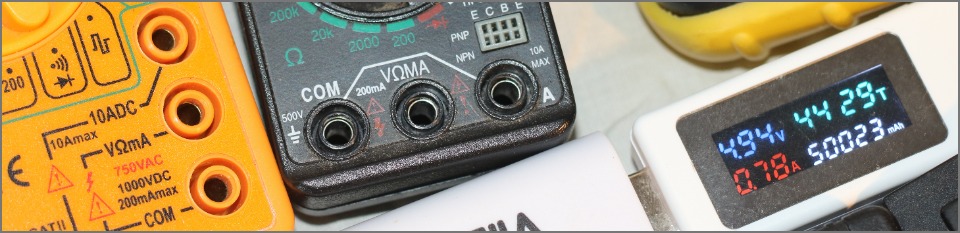
One of those laser guided thermometers was also used to measure the temperature of the back of the Smartphone. I could use my Raspberry Pi and a DS18S20 chip as well!
The Service used TextPhones?
It is possible to use modems.
The Service uses Textphones and Apps on Smartphones and laptops.
Here are the Auto type waveforms drawn using https://wavedrom.com/editor.html
While typing assert a low on the Wired-OR bus to assert "TYPING" Monitor the bus, and only start typing if the bus is high or "IDLE" After typing pause to allow an other device to type.
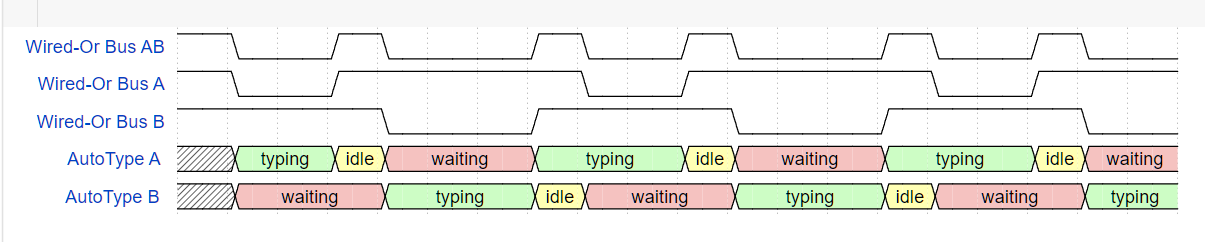
https://wavedrom.com/editor.html
 { "signal" : [
	{ "name": "Wired-Or Bus AB", "wave": "10.10..10.10..10.10." },
	{ "name": "Wired-Or Bus A", "wave": "10.1....0.1....0.1.." },
	{ "name": "Wired-Or Bus B", "wave": "1...0..1...0..1...0." },
	{ "name": "AutoType A ", "wave": "x7.39..7..39..7..39.", "data": ["typing", "idle", "waiting", "typing", "idle", "waiting", "typing","idle","waiting" ] },
	{ "name": "AutoType B ", "wave": "x9..7..39..7..39..7.", "data": ["waiting", "typing", "idle", "waiting", "typing","idle", "waiting", "typing"] },
 ]}
I now can generate modem squarks. These could be used to send text into the system.
https://www.dougrice.co.uk/cgi-bin/wiki.pl?WebAudio - Analyse samples captured using Audacity overview
https://www.dougrice.co.uk/www/dev/UART/UART2_V18.htm - Analyse samples captured using Audacity
https://www.dougrice.co.uk/webaudio/mic.htm - BAUDOT test tools
https://www.dougrice.co.uk/www/dev/UART/UART2_V18.htm#UARTgenerate - generate modem squarks
A USB modem can be used. On some devices, WebPages? can now control Serial Ports so I could write this page:-
https://www.dougrice.co.uk/webaudio/simpletermModemOne.html - There was a version with more buttons to trigger tests
Smartphone screens are difficult to read using an automation tool, but the App may provid call logs.
The AutoType can be be used to load up a call conversation log.
It is possible to analyse the saved call logs to look for missing text and issues.
The keyboard provides a stream of keystrokes. They do not get a stream of text about what is going on.
It may be possible to send commands to turn on and off the LED shift, Num lock.
I had to pause between sending each character, emulating what a human can type.
Sending multiple key presses in bulk, say 100 key presses as fast as the the Leonardo could type, was handled differently by Windows, Android and iOS.
When I printed the time stamp, I sent the string without pauses. It took extra effort to buffer the string and send it slowly.
Sending too fast found a feature in iOS that cause the Caret to be a character behind!
It might be possible to flow control a PS2 mouse by asserting a low, but that is history.
The Arduino Leonardo can emulate a Keyboard, Mouse and Serial USB delivered all down the same USB cable.
The electrical inputs can be used to control the AutoTyper?. I could use a light dependent resistor LDR or two to monitor the screen.
I suppose using the mouse wheel to scroll the screen and look for changes to the LDR.
Asking the developer to have a key sequence that moves the mouse to a know input box helps.
It seems that it is now possible to change how the mouse sends the data between relative and absolute. This could simplify moving the mouse.
https://github.com/adafruit/Adafruit_CircuitPython_HID/issues/129
However, the mouse does not get a "haptic" signal when it goes over a feature on the GUI screen.
It might be possible to explore the screen reader interface for the blind / braile screen readers.
It was possible to use JavaRobot? to move the mouse and press keys. It could also capture an array of screen pixels.
https://docs.oracle.com/javase/8/docs/api/java/awt/Robot.html
The same Java program running on Windows and Raspbeery Pi LINUX had the slight different width GUI buttons in slightly different places!
You could program it up to look for edge detection.
As a GUI user, I recognise what is on the screen and move the mouse to the input area and can then press keys.
The keyboard
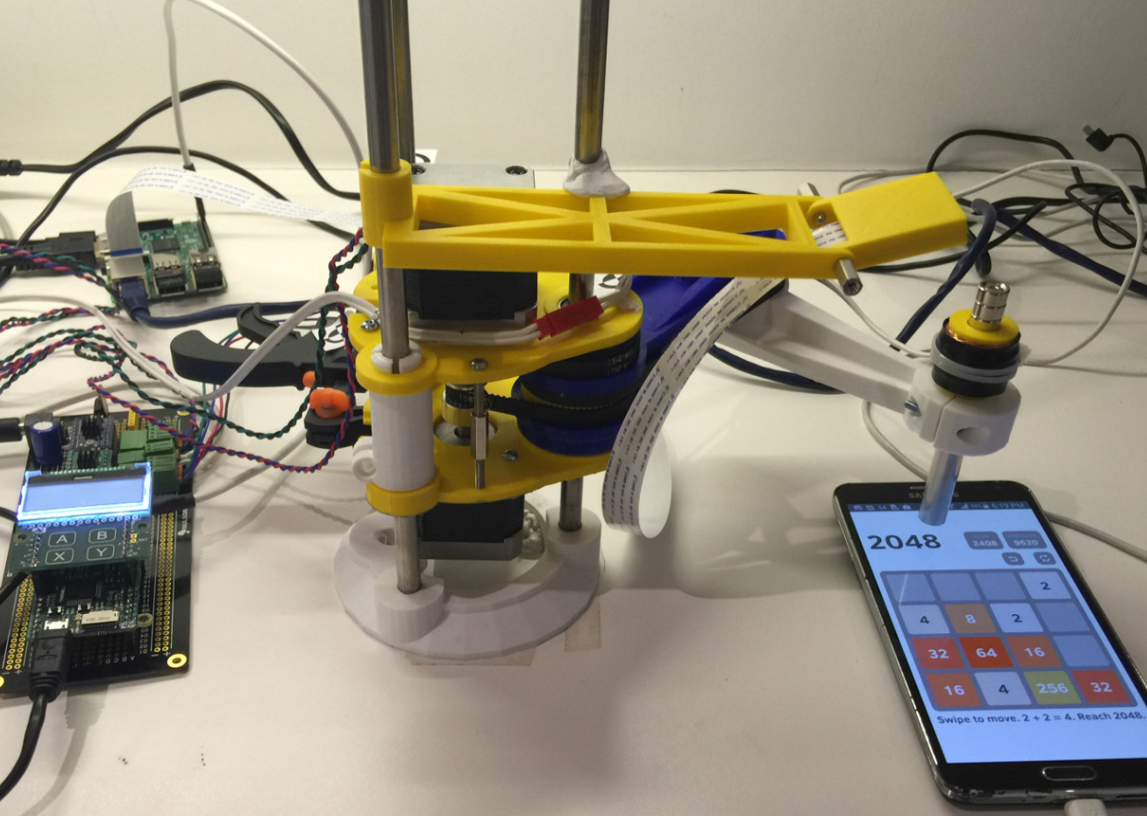
Rob Robson has a robot
https://robdobson.com/2016/05/play2048witharobotarm/

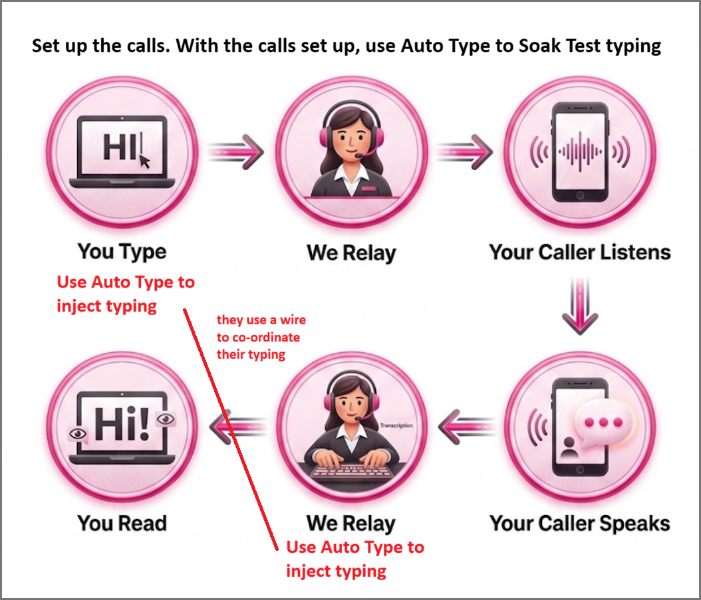
I asked an AI tool to draw me a Raspberry Pico typing into a computer, and it presented this:
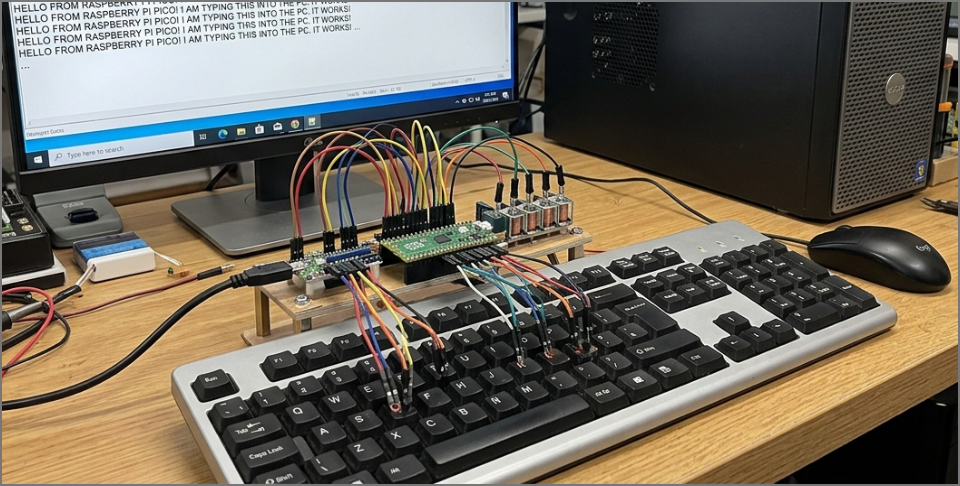
This is my photo of two Raspberry Pico typing in turn over as two USB HID keyboard.

A polite conversation needs them to type in turn, and not type over each other.
The white wire co-ordinates whose turn it is to type. Disconnect, and they type at the same time.
The white wire is an Active Low wired-or bus, used so they type in turn. The one typing asserts a low, and the other one holds off starting typing.
As a test, I plugged two Raspberry PICO into a USB hub plugged to my PC and typed into the same notepad document.
Without the Wired-Or bus, they type together.
 PICO 1: ( TYPING ) ( SMALL PAUSE ) ( AWAITING TURN to TYPE )
 PICO 2: ( AWAITING TURN to TYPE ) ( TYPING ) ( SMALL PAUSE )
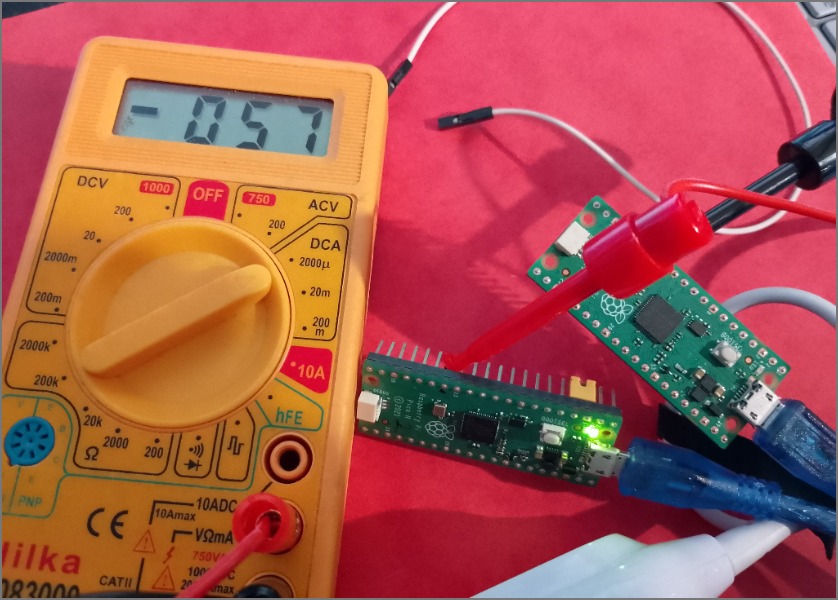
I used a multimeter to measure the current on the white wire. It was 57 micro amps.
It is like the astable

https://robdobson.com/2016/05/play2048witharobotarm/
https://www.deltaxrobot.com/ - a delta X robot being used for smartphone automation.
https://zbotic.in/delta-robot-build-parallel-arm-servo-mechanism/
https://github.com/jonatanklosko/gerbil - machine vision
The Arduino examples for the for HID USB have Keyboard or mouse, but no both, This link may help
I used GraphViz? to draw this summary of the problems

There are plenty of challenges to enjoy!
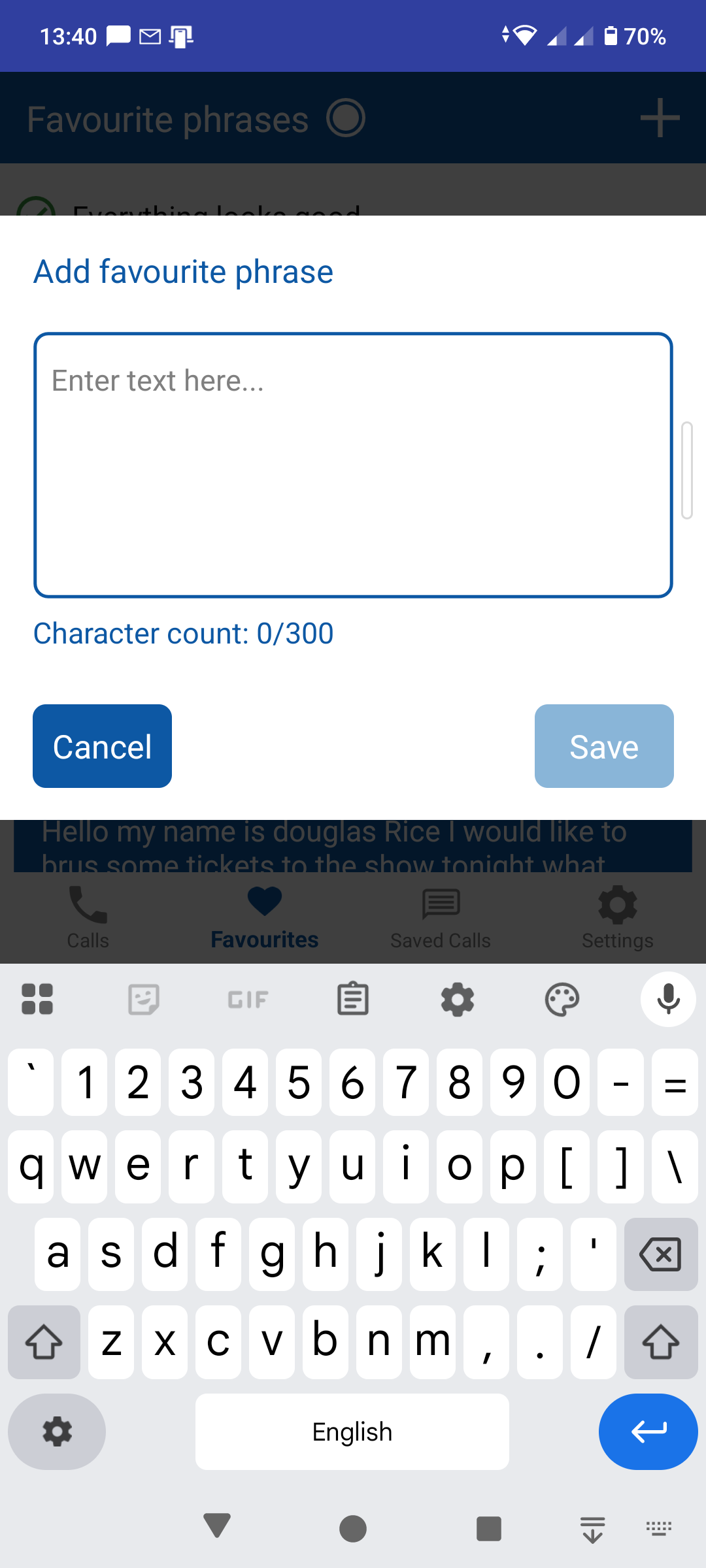
This is a screenshot of the smartphone keyboard used. There are many different sizes of smartphones and tablets and the robot would need to be programmed for each device.
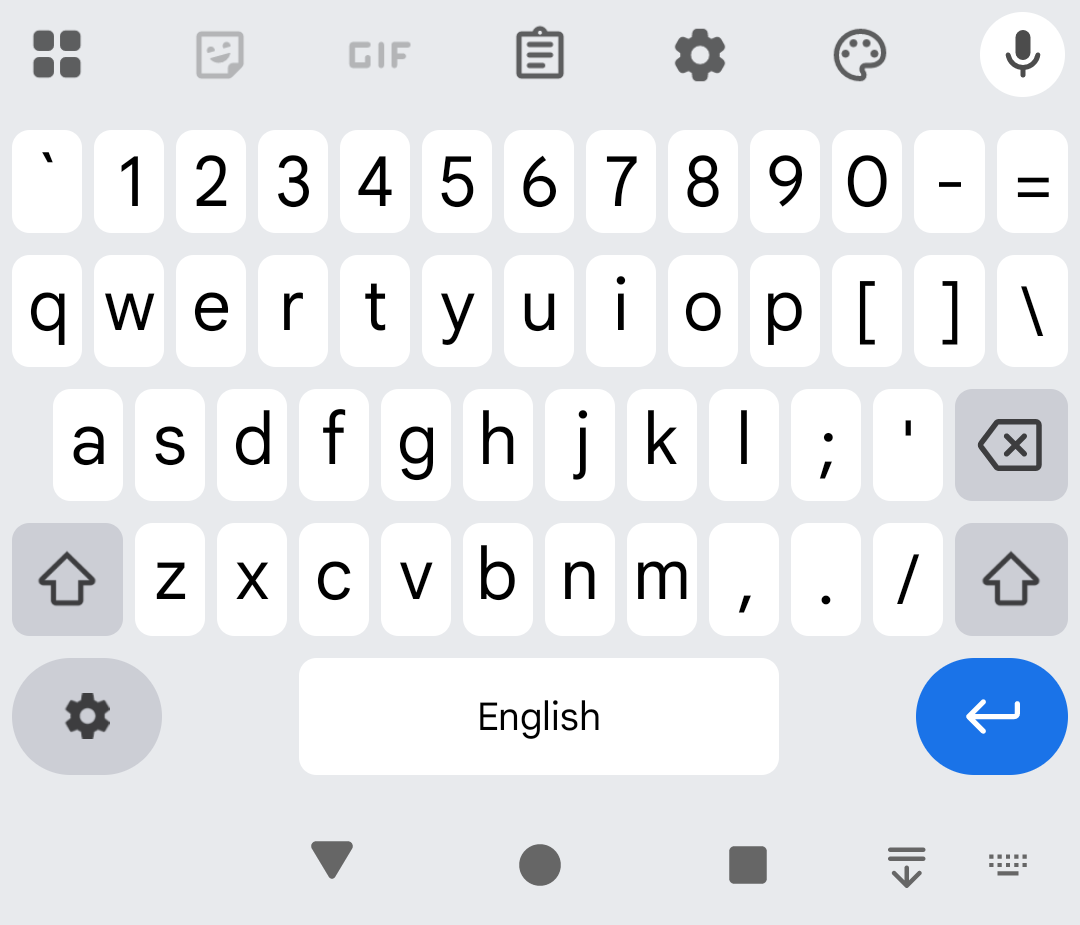
It is possible to use this as the background of a webpage and use canvas and html to emulate key presses
You could program up a robot to dab the soft keyboard.
You could plug in a mouse, or AutoMouse? to move the mouse pointer and click on the screen
You could plug in an external keyboard or AutoType device to send keycodes into the input box.
I used an external keyboard and later the AutoType
When I pressed the enter key key, the input box focus was lost and the keycodes were splattered over the device, and as it could not see, it did not stop.
A user might notice and reselect the input box.
So I had a DigiSpark? sketch which did not send "enter" keycodes.
The sketch converted "\n" to the "enter" key code.
I did have three AutoType devices typing in turn into the smartphones and workstation and one or two went for 3 hours and there are not that many "three hours" in a test window.
I also tried Java Robot, and security was an issue, as I would have to leave it typing into an unattended workstation. Okay at home during COVID, but not in an open plan office.
I brought a line following toy off ebay and tried to get a webpage read the background and move the location to act like a line following mouse.
https://www.dougrice.co.uk/www/dev/graphs/buggyLayers.htm
Can I modify it to look at the screenshot of the softkeyboard? - To be done.
https://www.dougrice.co.uk/www/dev/graphs/BuggyKeyboard.html - is a start.
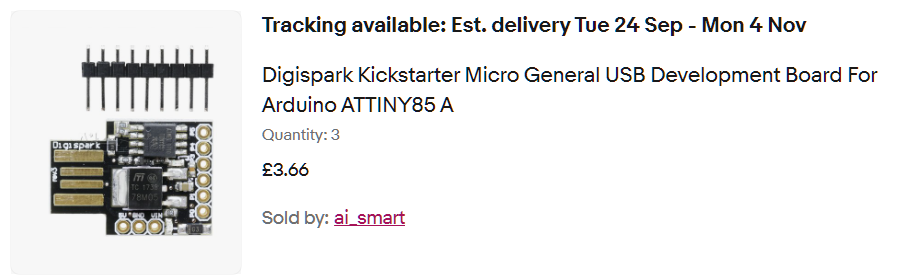
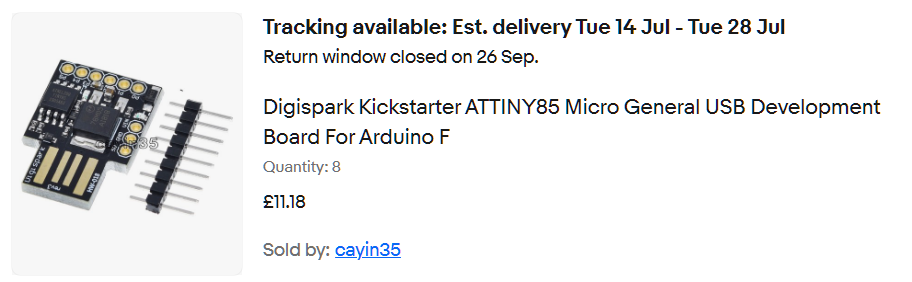
DigiSpark? - some have thicker PCB:-
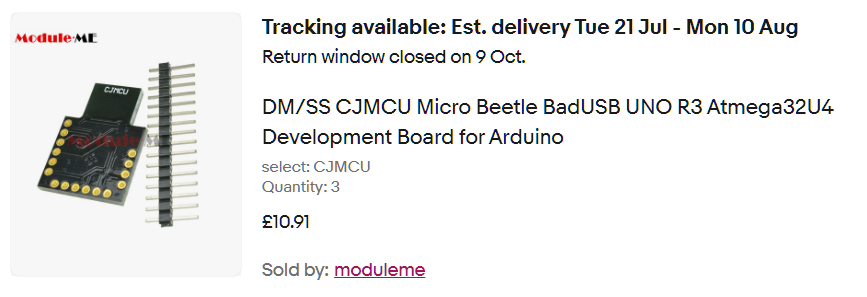
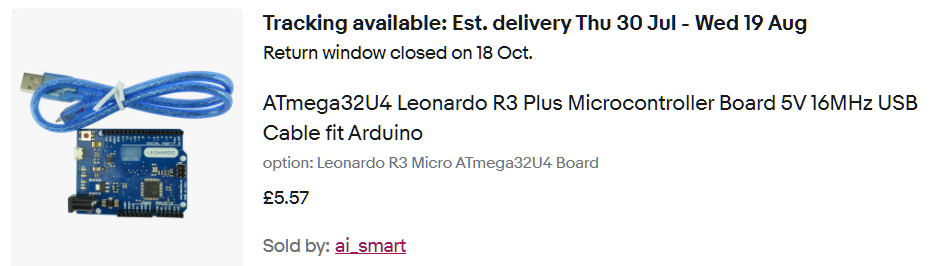
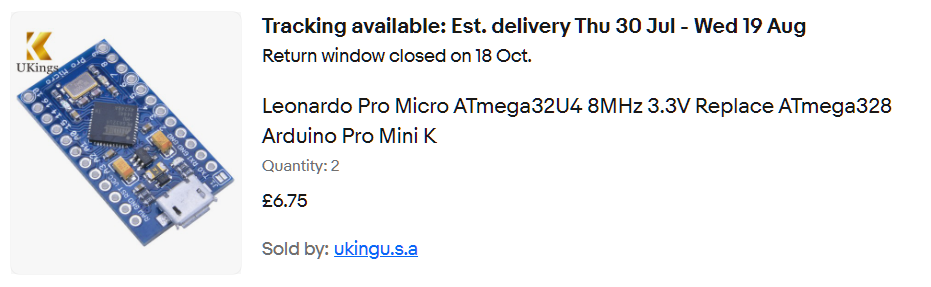
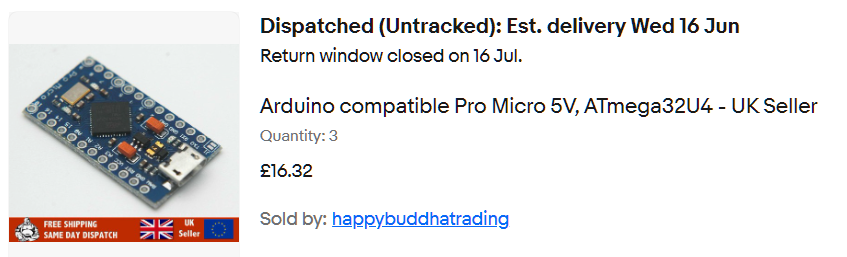
Atmega32U4 Development Boards:-
![[Home]](../ipstats.gif)